Why your insurance agency needs a customizable CRM
June 9, 2026 by ClientCircle
Share this:
Every insurance agency is different. Your book of business, your team, your workflow—none of it looks exactly like anyone else's. So why settle for a CRM that forces you into one way of seeing your data?
ClientCircle gives you several customizable built-in views—plus the ability to build your own—so you can see your book exactly the way your agency needs to see it. The right view at the right moment means less time clicking around and more time doing the work that grows your agency.
Here's what each view does for you.
Panel view: everything you need to know about a client, in one place
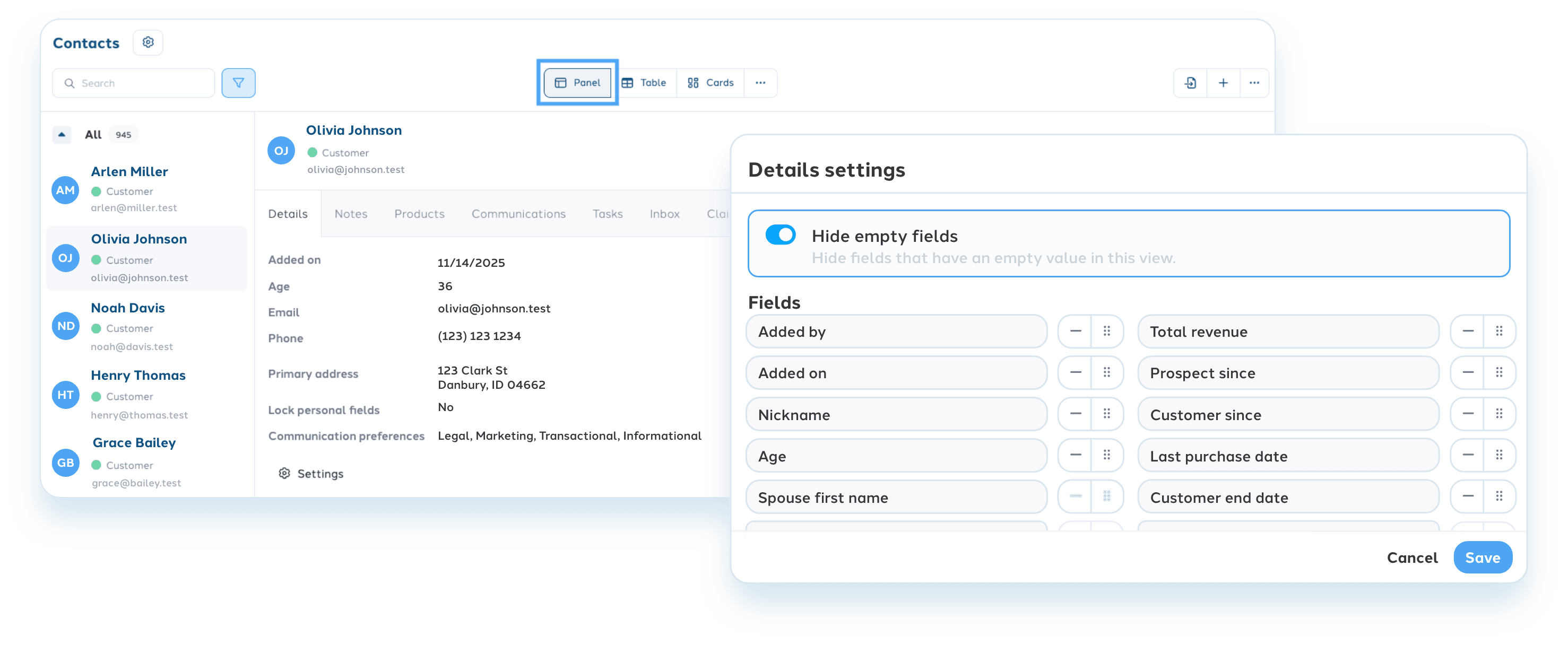
Your clients deserve an agent who knows them. Panel view makes that easy. Before a renewal call or a client meeting, you'll have their full history right in front of you: contact details, communication history, notes and the lists they're on, without hunting through tabs or piecing things together.
And because every agency has different priorities, you decide what shows up and in what order. Hide the fields that don't apply. Surface the ones that matter most. Panel view works the way your agency does.
Table view: built for the days you're managing volume
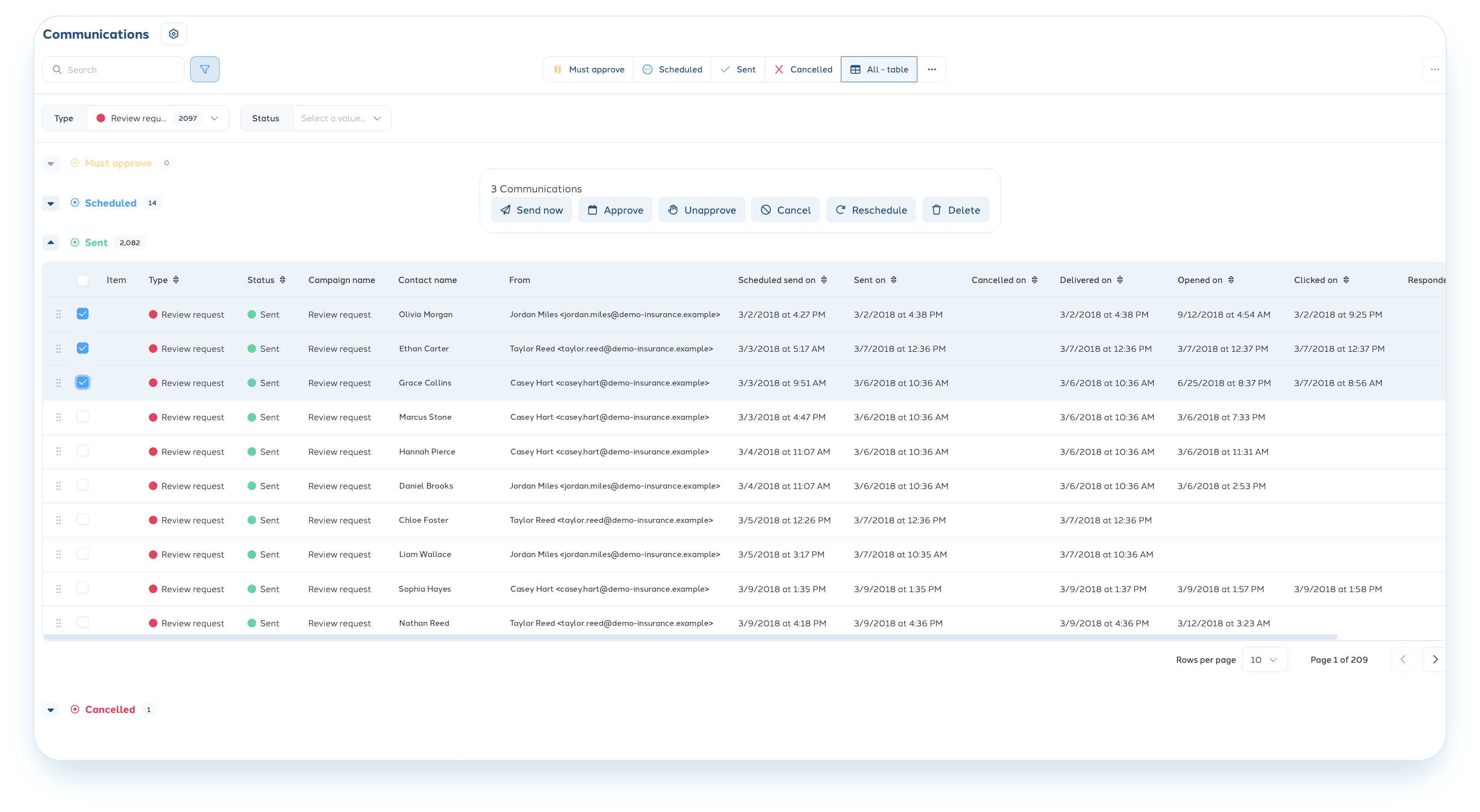
Some days aren't about one client. They're about 80 renewals due next month, a quick last-minute communication needs to go out to a subset of clients, or you simply need to do a quick scan of your book to find the gaps. Table view is built for that.
More data, more contacts, visible at once. Add a filter and you're looking at exactly who needs attention right now—nothing more, nothing less. For agencies that take their follow-through seriously, table view is where it happens.
Card view: see where every client stands at a glance
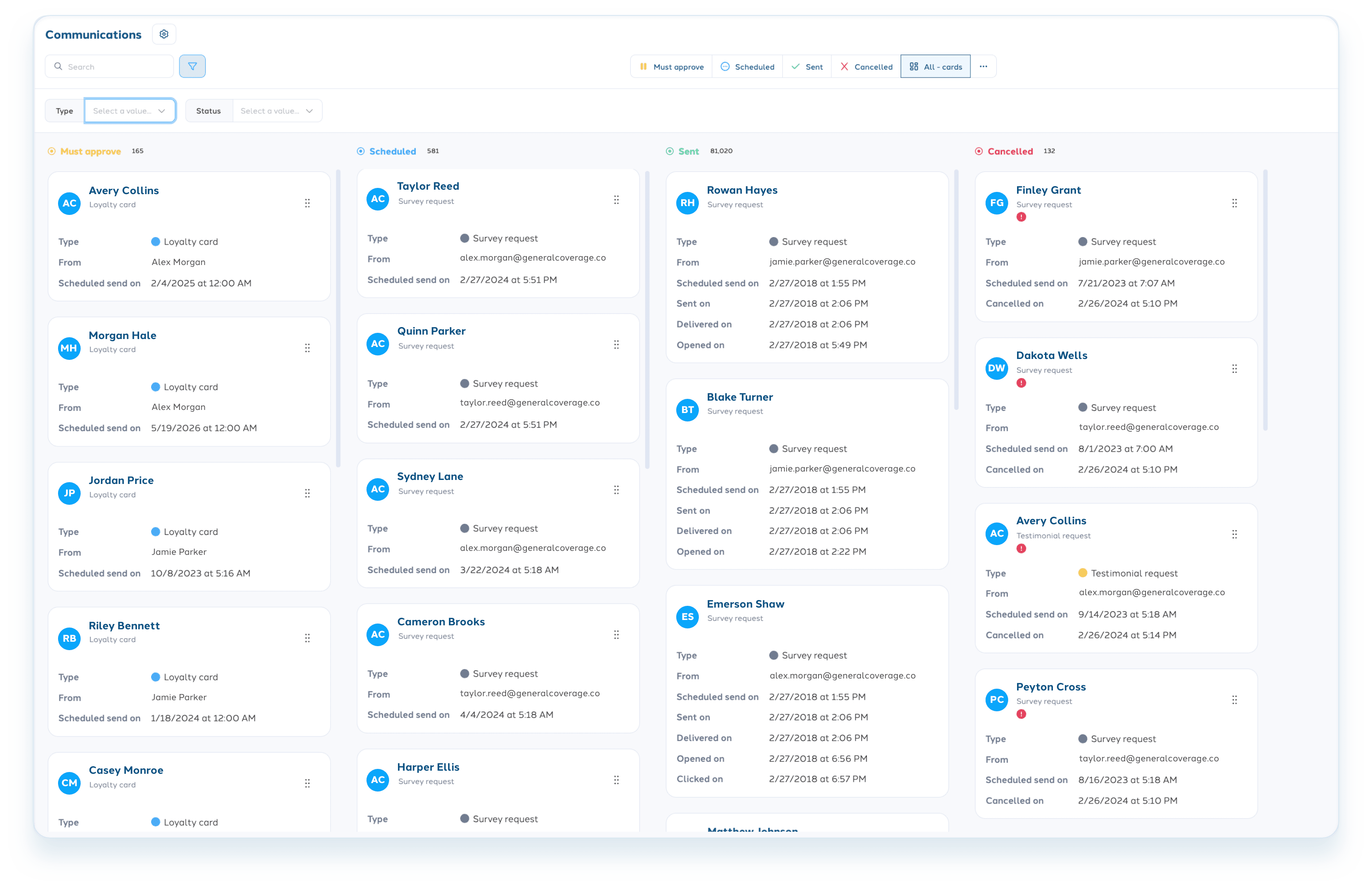
Keeping track of where clients are in their experience with your agency shouldn't require a spreadsheet or a team meeting. Card view makes your customer statuses visual and instant. Move a client from one status to the next with a simple drag and drop—no extra clicks, no extra steps.
Your team can look at card view and immediately understand which contacts need attention. That kind of clarity keeps work from falling through the cracks.
Calendar view: stay ahead of what's coming
Retention comes down to timing. So does client satisfaction and keeping your team on track.
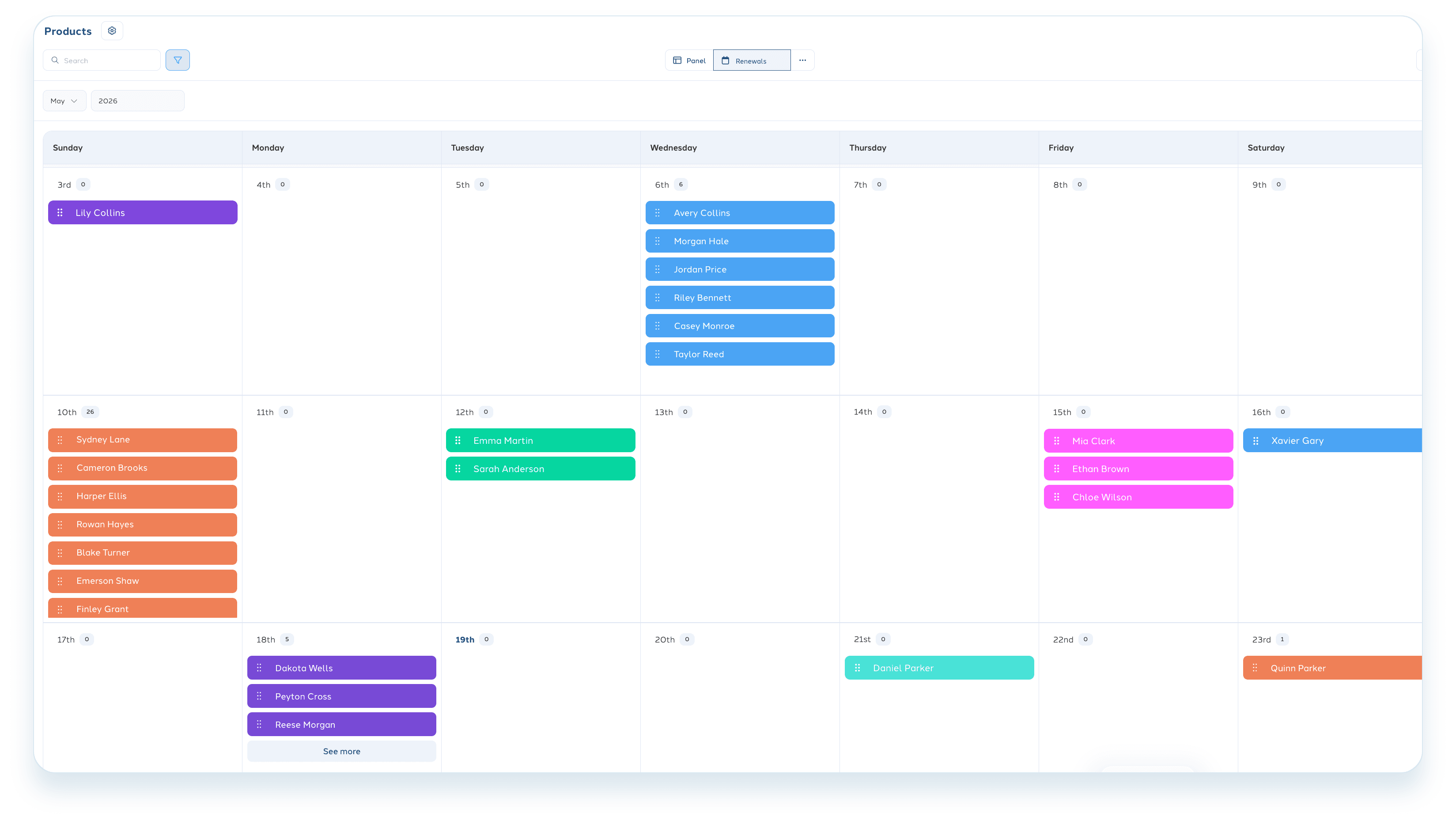
Calendar view keeps every upcoming task visible and organized by due date—renewals, follow-ups and other items your team has in motion. Nothing gets buried, nothing sneaks up on you. Your team knows what's due, when it's due and who owns it.
The agencies that clients stay with aren't just the ones who got there first at renewal. They're the ones whose team showed up consistently, remembered the details and never dropped the ball. Calendar view makes that kind of reliability a lot easier to deliver.
Make it yours
The four built-in views you see when you log into your ClientCircle CRM are just the starting point. You can duplicate any of them, customize the grouping, filters and field order, and save it as your own. Pin your most-used views to the top so your team gets there in one click.